Posts

What Should We Put In Our Makerspace This Month?

Image
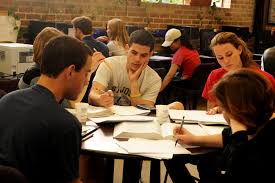
As you may know, we started a Makerspace in our High School LMC starting this school year. We've been switching up the activities, experiences, and technology on a  monthly basis. Here are a few pictures from September, October, November and December: With all of the various activities, students have been checking in regularly to see what is new and to spend some social time in our Makerspace with their peers. And all of a sudden it is January and time to revamp and plan for new and creative activities and technologies for the Makerspace.  Here is what we are planning: #1 - I wrote a grant for a 3D printer and was awarded the grant. Thank you AEF (Appelton Education Foundation) So, we now have a Dremel 3D Printer in our Makerspace. We've been busy learning how to use the printer and one of our maintenance personnel, Craig, has been a huge help. He has a great knowledge base about 3D printing. I'm so thankful for his involvement.    One activ...
Google Forms - A New Feature!

Image
Many of us use Google forms for assessments or to take a survey, however, did you know that students can submit files in a Google Form?   Just think of the possibilities. . .  students could submit an audio recording where they record their answer verbally using Vocaroo or Twisted Wave .   Students can submit an image, PDF or even a Google Drawing to show the answer to a higher level question that involves creation and design. Students can submit a Google Doc , Spreadsheet or Presentation  which makes it simple to integrate the Google Suite. Students can submit a video file as well. So if students have a video they have saved in MP4 format, they can submit that video in a Google Form. 

Foster Peer Tutors In Your Classroom

Image
Recently a colleague and I were having a conversation about how students often learn better from one another and how peer tutors can really boost another student's confidence and willingness to try.  As I was reflecting on our conversation, I suddenly had an idea of how I might foster peer tutoring creatively in a classroom.  My idea is to have students show answers to questions the teacher gives them and record their responses to share out in a common place for all of their classmates to see. It would work something like this. . . .  First each student would get a different question to answer (math problem, grammar question, review question etc.)  Next, each student would use a site like Ziteboard.com  to upload a picture (or multiple pictures) of the question or problem. It could be a picture of the actual work that the student has done. Ziteboard will allow the students to annotate and mark up the picture. Then, the student would use ...

Christmas Brought Me Many Techy Gifts

Image
Greetings friends, I've missed you! With taking on several new adventures in November and December, I have not had the chance to blog lately. I taught a technology course for our local cohort and also became a technology online coach for ISTE and the VMLA (Verizon Mobile Learning Academy). Along with these two weekly commitments I also attended and presented at a local conference (SLATE) and kept up with the daily tasks of being a technology integration specialist which includes managing Chromebook issues, creating and maintaining a high school Makerspace and often teaching in classrooms. Thanks for understanding my absence from blogging lately. The holidays are over and they sure were good to me. I received many fabulous technology related gifts that I would like to share with you. First off, I am now the owner of the Amazon Echo Dot. Thank you Santa! Echo is a hands-free, voice controlled device that uses voice recognition to perform commands. I ask my Echo Dot to play m...

Hey Educators - Can You Help Students to Acquire These Qualities?

Image
Just under a week ago, on our inservice day, employees at East High School had the amazing opportunity to visit several businesses in our area. The two businesses I visited were Omni Premier Technology Consultants and Great Northern Laminations .  As we were talking to the panelists of employees and also touring the sites, I kept thinking about this question, "What can we do in our classrooms and in our schools to help prepare our students for careers in today's work force?" At each of the businesses there were several qualities that are desirable when hiring new employees.  Omni looks for people who think "around the edges of the paper" which means thinking differently, creatively and openly. They also like people who are problem solvers, team players and who aren't afraid to try new strategies and techniques .  The other quality I heard mentioned multiple times is that working in the technology industry means you must continue to grow and...

8 Ways to Enhance Your Classroom With Chromebooks

Image
Once Teachers Obtain Chromebooks . . . how do they actually proceed to use them with students? The Chromebook offers many possibilities to bring new and interesting opportunities for teaching and learning.  So the questions to ask ourselves is, once students have Chromebooks how are teachers using them in their classroom? Here are 8 ways to use Chromebooks in your classroom that can have an impact. 1.  Writing with Instant Feedback Using Google Docs Google Docs allows students to be able to work privately while allowing teachers to comment and make edits instantly. Instead of teachers having to constantly move throughout a room to check on each student's writing, the teacher can remain in one spot and review student's progress in real time and leave the students suggestions and comments. 2. Homework that is Enjoyable Teachers can assign additional practice that is exciting such as using educational games. Sites such as Funbrain , Quizlet , IXL , o...

Digital Citizenship Conversations

Image
Chat with Deb Digital Citizenship Watch this Chat with Deb Video Blog about conversations we should have with our students as well as laws and policies that are helping to protect our students.  Here is the presentation that goes with the video. Do you have certain topics, activities or resources that you use to teach students about digital citizenship? Please share with us.

Empowered Learners - Meeting the Standard

Image
Creating Empowered Learners in Your Classroom Image URL ISTE Standard One of the new ISTE standards for students is Empowered Learner. This standard is all about students taking ownership over the learning process. It is also about students using various methods to show their learning as well as demonstrating the use of emerging technologies. Assignment Recently, some of the teachers in our school district that are enrolled in the masters cohort, created blended learning experiences for their students. These blended learning lessons are right on target for creating empowered learners in the classroom. They also show a shift in the teachers' instructional approaches from givers of all content to facilitators of student learning. Image URL Blended Learning Remember, blended learning is when students are delivered content and instruction through both the teacher as well as online.  Because the content is partially delivered through online resou...

Have You Heard About HyperDocs?

Image
HyperDocs  Lately, I am obsessed with HyperDocs. Have you heard about them?  HyperDocs are a transformative way to deliver an interactive lesson to your students that incorporates engaging and meaningful technologies.  What is a HyperDoc? Think of a HyperDoc like a digital lesson that offers students a personal experience which involves them in the learning throughout the entire process by incorporating various multi medias, creative activities and interesting websites.   Image Source HyperDocs come in many forms such as a Google Presentation, a Google Map and most commonly, a Google Doc with colorful tables built in. Perhaps a better way to explain a HyperDoc is to show you an example of one.  Click here to see a HyperDoc on Electricity.   Notice how the lesson is designed to access prior knowledge, build the concepts, provide student reflection, assess learning and all of the necessary components of a properly prepared...

Making of a High School Makerspace

Image
Our Makerspace - The Liftoff Planning: We've been planning for a makerspace in our high school for over two years. During that time we introduced ideas and gave students a small taste of what was to come. Showcasing some tech on a table outside of our office to initiate interest and exposure. Implementing: This year we kicked off the official space and it is definitely a work in progress with challenges and successes. Here is the space before we began. We started with limited furniture, limited supplies and a blank canvas.  To prepare the makerspace, I gathered some tech, went shopping for supplies, up-cycled some furniture and made a plan. Stations: With the help of my co-worker, Jeremy, we assembled 6 stations throughout the makerspace. #1 A Green Screen Photo Booth Station with some green screen backgrounds   #2 A Hack Your Chromebook Name Tag Station #3 Virtual Reality Headset Station #4 An ...